If you’re searching for a clear, practical guide to data analysis with python pandas, you’re likely looking for more than just syntax explanations—you want to understand how to actually work with data, uncover insights, and make informed decisions. This article is designed to do exactly that.
We’ll walk through the core concepts you need, from loading and cleaning datasets to transforming, aggregating, and visualizing data efficiently. Whether you’re handling structured business data, experimenting with machine learning workflows, or exploring digital device metrics, you’ll see how pandas fits into real-world analytical tasks.
Our approach is grounded in hands-on experience with modern tech stacks and machine learning frameworks, ensuring that every example reflects practical, up-to-date use cases. By the end, you’ll not only understand how pandas works—you’ll know how to apply it confidently to solve meaningful data problems.
Setting the Stage: Loading and Inspecting Your First DataFrame
Before you analyze anything, you need a DataFrame—pandas’ core data structure. Think of it as a digital spreadsheet: rows are individual records, columns are variables, and the index is the unique label for each row (like a row ID). In my opinion, once this clicks, everything else in data analysis with python pandas feels far less intimidating.
First, load your dataset:
pd.read_csv("your_file.csv")
Simple, yes—but powerful. Next, inspect it. Use .head() to preview the first five rows and .tail() for the last five. Then, and this is crucial, run .info().
Why? Because .info() exposes column names, non-null counts, and data types. I’ve seen countless beginners overlook numbers stored as strings—until calculations mysteriously fail. Some argue you can skip inspection and “figure it out later.” I strongly disagree. Early visibility prevents messy debugging.
Moreover, if you’re comfortable deploying workflows—like deploying a web application using docker containers—you’ll appreciate how inspection builds similar discipline upfront.
The Essential First Step: Cleaning and Preparing Data for Analysis
Here’s the uncomfortable truth: about 80% of data analysis is cleaning, not modeling (a claim echoed by multiple industry surveys, including CrowdFlower’s Data Science Report). If that sounds excessive, it’s because raw data is messy—full of gaps, wrong formats, and repeat entries.
Handling Missing Values
Missing values—often shown as NaN (Not a Number)—can quietly distort results. Start by identifying them:
df.isnull().sum()
From there, you have two main options:
dropna(): Removes rows with missing values (clean, but risky if you lose too much data).fillna(): Replaces gaps with a value like the mean or median (safer, but can introduce bias).
Pro tip: Always measure how much data you’re dropping before committing.
Correcting Data Types
Data types define how Python interprets values. Converting with astype() ensures accuracy—like turning an “object” column into datetime for time-series analysis. Without this step, calculations can silently fail (and yes, that’s as frustrating as it sounds).
Removing Duplicates
Duplicates skew metrics. Check with:
df.duplicated().sum()
Then clean using:
df.drop_duplicates()
What’s next? After cleaning, you’ll likely ask: Is my data consistent across sources? That’s where validation, normalization, and exploratory analysis come in.
Core Statistical Functions: From Averages to Aggregations

I still remember the first time I opened a messy sales dataset and thought, “Where do I even start?” (You know that mild panic when rows blur together.) That’s when I discovered the quickest win in pandas.
The Quickest Win
Run this once:
df.describe()
In seconds, you get a statistical summary: mean (average value), median (middle value), standard deviation (spread of data), and quartiles (data split into four parts). It’s like flipping on the lights before cleaning a room.
Targeted Insights
Then, as you dig deeper, you might focus on a single column:
df['sales'].mean()
df['sales'].median()
df['sales'].std()
df['sales'].max()
This approach—working with a Series (one column of data)—helps answer specific questions, such as: Are a few big deals skewing the average?
Uncovering Group Dynamics
However, real insight often hides in comparisons. Enter .groupby(), the backbone of trend analysis.
df.groupby('region')['sales'].mean()
Now you’re seeing the average sale per region. Suddenly patterns emerge (and sometimes egos get bruised).
Advanced Aggregation
To go further:
df.groupby('region')['sales'].agg(['sum', 'mean', 'count'])
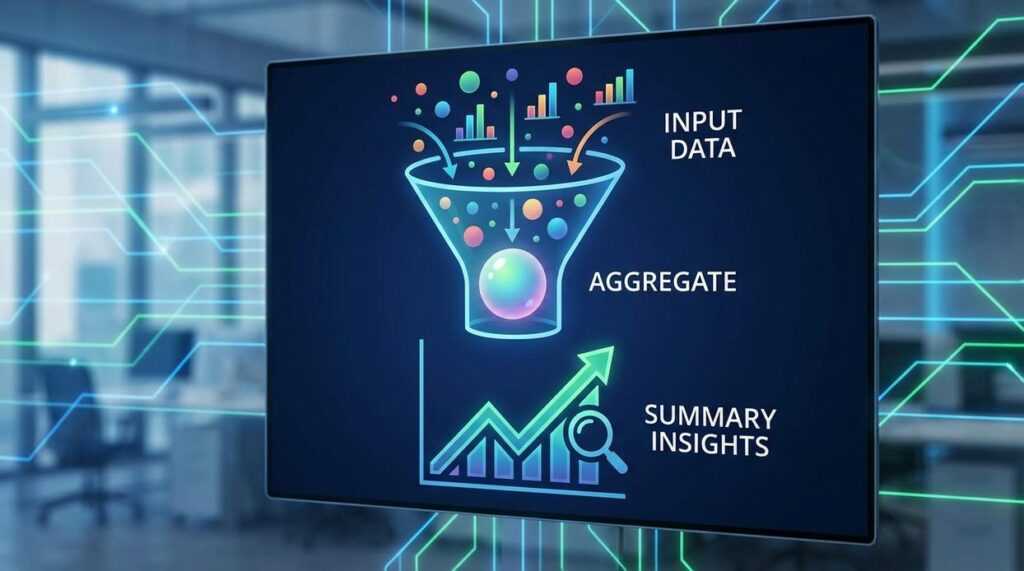
One operation, multiple metrics.
| Region | Sum of Sales | Average Sale | Number of Sales |
|———|————–|————–|——————|
| North | 120,000 | 500 | 240 |
| South | 98,000 | 420 | 233 |
At first, I underestimated grouping. I thought averages were enough. But segmentation changed everything. So while some argue summaries alone suffice, grouped aggregation reveals the story behind the story. And that’s where better decisions begin.
Beyond the Numbers: Identifying Trends and Correlations
Data rarely speaks in headlines; it whispers in relationships. To start, use .corr() to generate a correlation matrix—a table showing how numerical variables move in relation to one another. Correlation measures the strength and direction of a linear relationship, ranging from -1 to 1. For example, after three months of tracking marketing spend and revenue, a 0.82 correlation suggests they rise together. Of course, correlation isn’t causation (ice cream sales and sunburn both spike in July), but it’s a powerful first clue.
Next, consider time. If your dataset includes dates, convert that column into a DatetimeIndex. This allows you to analyze trends chronologically. With .resample(), you can aggregate data into new time intervals—like transforming daily sales into monthly totals to reveal seasonal patterns. Back in 2020, many retailers spotted demand shifts only after resampling weekly data into quarterly views.
Finally, examine categorical frequency with .value_counts(). This method shows how often each category appears, helping you quickly identify dominant products, user segments, or error types. In short, numbers tell stories—if you ask them the right questions.
Turn Insight Into Action with data analysis with python pandas
You came here to gain clarity and practical direction around data analysis with python pandas—and now you have a clearer path forward. From understanding structured datasets to applying efficient transformations and extracting meaningful insights, you’re no longer guessing. You’re equipped with knowledge that solves the real pain point: turning raw data into decisions that actually matter.
The frustration of messy spreadsheets, slow manual calculations, or incomplete insights doesn’t have to hold you back anymore. With the right approach to data analysis with python pandas, you can streamline workflows, uncover patterns faster, and make smarter, data-driven moves with confidence.
Now it’s time to take the next step. Start applying these techniques to your own datasets today. Build small projects, automate one repetitive report, or refine a single dashboard. Then level up by exploring advanced frameworks and structured tutorials that deepen your practical expertise.
If you’re ready to eliminate confusion, accelerate your analytics skills, and work smarter with real-world data, take action now. Access proven tools, step-by-step expert guidance, and innovation-driven insights designed to help you master data analysis with python pandas—and transform your data into a competitive advantage.
 Head of Machine Learning & Systems Architecture
Justin Huntecovil is the kind of writer who genuinely cannot publish something without checking it twice. Maybe three times. They came to digital device trends and strategies through years of hands-on work rather than theory, which means the things they writes about — Digital Device Trends and Strategies, Practical Tech Application Hacks, Innovation Alerts, among other areas — are things they has actually tested, questioned, and revised opinions on more than once.
That shows in the work. Justin's pieces tend to go a level deeper than most. Not in a way that becomes unreadable, but in a way that makes you realize you'd been missing something important. They has a habit of finding the detail that everybody else glosses over and making it the center of the story — which sounds simple, but takes a rare combination of curiosity and patience to pull off consistently. The writing never feels rushed. It feels like someone who sat with the subject long enough to actually understand it.
Outside of specific topics, what Justin cares about most is whether the reader walks away with something useful. Not impressed. Not entertained. Useful. That's a harder bar to clear than it sounds, and they clears it more often than not — which is why readers tend to remember Justin's articles long after they've forgotten the headline.
Head of Machine Learning & Systems Architecture
Justin Huntecovil is the kind of writer who genuinely cannot publish something without checking it twice. Maybe three times. They came to digital device trends and strategies through years of hands-on work rather than theory, which means the things they writes about — Digital Device Trends and Strategies, Practical Tech Application Hacks, Innovation Alerts, among other areas — are things they has actually tested, questioned, and revised opinions on more than once.
That shows in the work. Justin's pieces tend to go a level deeper than most. Not in a way that becomes unreadable, but in a way that makes you realize you'd been missing something important. They has a habit of finding the detail that everybody else glosses over and making it the center of the story — which sounds simple, but takes a rare combination of curiosity and patience to pull off consistently. The writing never feels rushed. It feels like someone who sat with the subject long enough to actually understand it.
Outside of specific topics, what Justin cares about most is whether the reader walks away with something useful. Not impressed. Not entertained. Useful. That's a harder bar to clear than it sounds, and they clears it more often than not — which is why readers tend to remember Justin's articles long after they've forgotten the headline.